Transform Chrome with unlimited shortcuts, workspaces, browser usage tracking, Digital Wellbeing, draft recovery, and privacy-first productivity tools.
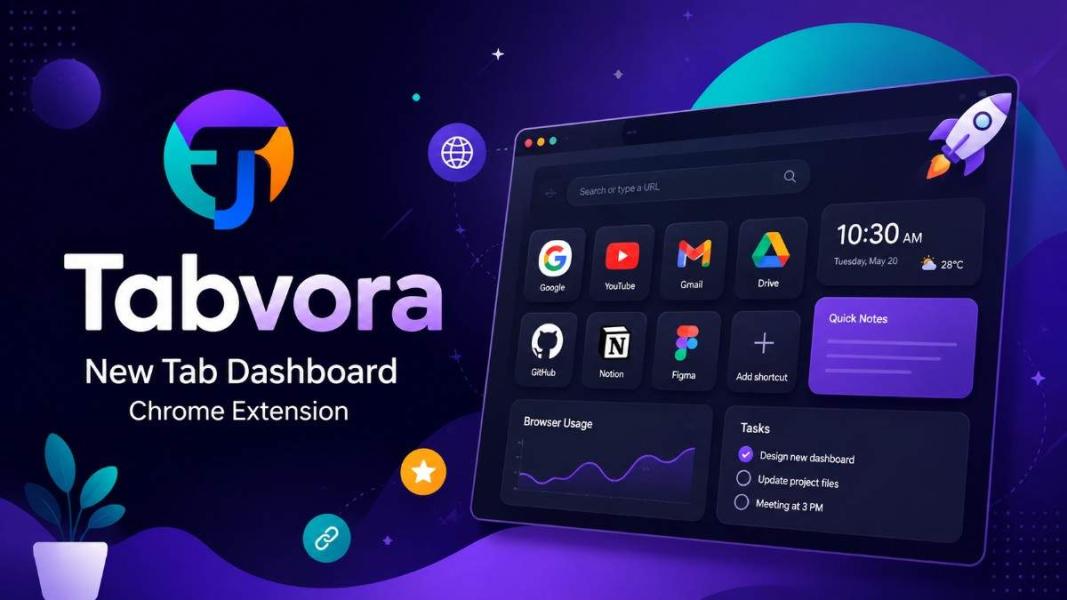
Tabvora – The Ultimate Chrome New Tab Dashboard for Productivity, Privacy & Smart Browsing
Organize Your Chrome Like Never Before
If your browser is full of bookmarks, dozens of tabs, scattered shortcuts, and unfinished work, you're not alone.
Most Chrome users spend hours every day switching between websites, searching bookmarks, reopening frequently used pages, and trying to stay organized.
Tabvora is built to solve exactly these problems.
Instead of replacing only your New Tab page, Tabvora transforms Chrome into a complete productivity workspace that helps you organize websites, manage browsing time, recover unsaved work, and stay focused—all while keeping your data completely private.
Unlike many browser extensions, Tabvora follows a Local-First architecture, meaning your personal data stays on your own computer.
No accounts.
No cloud storage.
No unnecessary tracking.
Just your browser, your data, and your workflow.
Why Choose Tabvora?
Tabvora combines multiple productivity tools into a single Chrome extension.
Instead of installing separate extensions for bookmarks, notes, time tracking, browsing limits, and dashboards, everything is available in one place.
Perfect for:
- Students
- Developers
- Designers
- Content Writers
- Bloggers
- Researchers
- Office Users
- Freelancers
- Remote Workers
Unlimited Website Shortcuts
Save unlimited websites directly on your New Tab page.
Features include:
- Unlimited shortcuts
- Drag & Drop sorting
- Pin favorite websites
- Color labels
- Archive
- Duplicate Finder
- Automatic favicon detection
- Instant search
Managing hundreds of websites becomes simple.
Custom Workspaces
Separate your browsing into multiple workspaces.
Example:
- Work
- Study
- Development
- Clients
- Personal
- Shopping
- AI Tools
Switch between projects with a single click.
Smart Browser Usage Dashboard
One of the biggest features introduced in Tabvora v2.0 is the Browser Usage Dashboard.
You can monitor:
- Daily browsing time
- Weekly reports
- Monthly reports
- Custom date range
- Website usage history
Know exactly where your browsing time goes.
Website Usage Statistics
Tabvora automatically tracks how much time you spend on websites.
Examples:
- YouTube
- GitHub
- ChatGPT
- Gmail
Everything stays inside your browser.
No browsing history is uploaded anywhere.
Website Time Limits
Need better focus?
Set daily limits for individual websites.
For example:
Facebook → 30 minutes
YouTube → 45 minutes
Instagram → 20 minutes
When the limit is reached, Tabvora immediately displays a reminder.
Global Browser Time Limits
You can also limit your total Chrome usage.
Instead of limiting one website, you can control your entire browsing session.
Great for students, professionals, and productivity-focused users.
Digital Wellbeing
Long hours in front of a screen are common today.
Tabvora includes optional Digital Wellbeing reminders.
You'll receive reminders to:
- Drink water
- Rest your eyes
- Stretch
- Take a short walk
- Take a healthy break
These reminders work completely locally.
They are designed only to encourage healthier computer habits and are not intended as medical advice.
Draft Recovery
Accidentally closed a tab?
Power outage?
Browser crash?
Draft Recovery helps protect your work.
Supported text entered into compatible forms is temporarily saved locally.
Sensitive fields like:
- Passwords
- Payment information
- OTP codes
are automatically excluded.
Quick Notes
Need to write something quickly?
Use the built-in Quick Notes widget.
Perfect for:
- Ideas
- Tasks
- Temporary notes
- Code snippets
- URLs
Notes stay locally until you remove them.
Live Dashboard Widgets
Your New Tab can include:
- Live Clock
- Current Date
- Browser Usage Card
- Quick Notes
You can enable or disable widgets anytime.
Import Chrome Bookmarks
Import existing Chrome bookmarks with one click.
No manual setup required.
Backup & Restore
Export your complete setup.
Including:
- Shortcuts
- Workspaces
- Settings
- Preferences
Restore everything on another computer within seconds.
Beautiful Customization
Personalize Tabvora your way.
Features include:
- Light Theme
- Dark Theme
- System Theme
- Adjustable card sizes
- Grid spacing
- Dashboard layout
- Widget controls
Built for Performance
Tabvora uses modern technologies including:
- Chrome Manifest V3
- IndexedDB
- chrome.storage.local
- chrome.storage.session
- Service Workers
- Virtual Scrolling
Even hundreds of shortcuts remain smooth thanks to optimized rendering.
Privacy First
Privacy is the foundation of Tabvora.
There are:
- No analytics
- No advertising trackers
- No cloud storage
- No user accounts
- No hidden telemetry
Your data remains under your control.
Why Users Love Tabvora
✔ Unlimited shortcuts
✔ Custom workspaces
✔ Browser usage analytics
✔ Website time limits
✔ Digital wellbeing reminders
✔ Draft recovery
✔ Quick notes
✔ Backup & Restore
✔ Local-first architecture
✔ Beautiful dashboard
✔ Privacy focused
Download Tabvora
If you're looking for the best Chrome New Tab Extension, best productivity Chrome extension, browser usage tracker, website time limit extension, or a privacy-focused Chrome dashboard, Tabvora brings all of these features together in one lightweight extension.
Upgrade your browsing experience with a smarter, faster, and more organized Chrome workspace.